Smart TOC – A Table of Contents That Satisfies All Your Needs.

Smart TOC
Smart Table of Contents — WordPress Plugin
Version 2.0 · Developed by KeyBrains
Product Overview
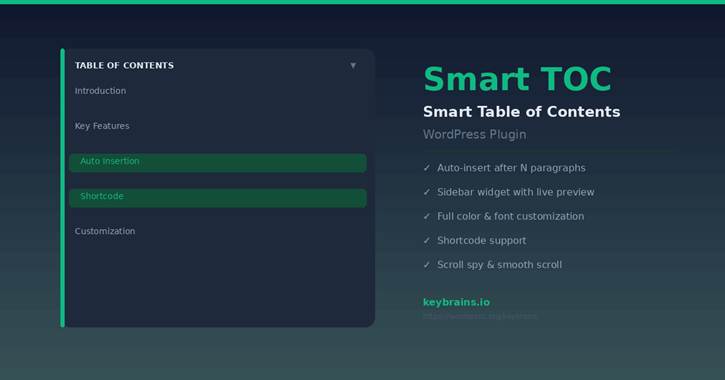
Smart TOC is a powerful, lightweight WordPress plugin that automatically generates a Table of Contents from your post or page headings. Designed for publishers, bloggers, and content-heavy websites, it improves navigation, increases time-on-page, and gives readers an instant overview of your content structure.
Built by KeyBrains, Smart TOC delivers a professional reading experience with zero configuration required out of the box — yet offers deep customization for those who want full control over appearance and behavior. The plugin is built to the highest WordPress development standards: clean code, no bloat, and no external dependencies.
Core Features
| Auto-Insert | Injects the TOC automatically after a configurable number of paragraphs. No shortcodes required. |
| Shortcode | Use [smart_toc] anywhere in post content. Override title and heading levels per instance. |
| Sidebar Widget | Drop into any registered sidebar. Reads all style settings from the central Settings page. |
| Style Customizer | Full control: background, border color, accent width, radius, padding, title & link fonts and colors. |
| Live Preview | The style panel shows a real-time preview of your TOC before saving. |
| Scroll Spy | Automatically highlights the current section in the TOC as the reader scrolls. |
| Smooth Scroll | Animated scroll-to-heading when a TOC link is clicked. |
| Collapse Toggle | Optional button for readers to show or hide the TOC. |
| Hierarchical | H2 → H3 → H4 shown in a properly indented nested list with visual guide lines. |
| Heading Levels | Choose any combination of H1–H6 to include. |
| Min Headings | Configurable threshold — TOC only appears when content is long enough to need it. |
| Theme Default | One checkbox to inherit all styles from the active theme. |
Screenshots
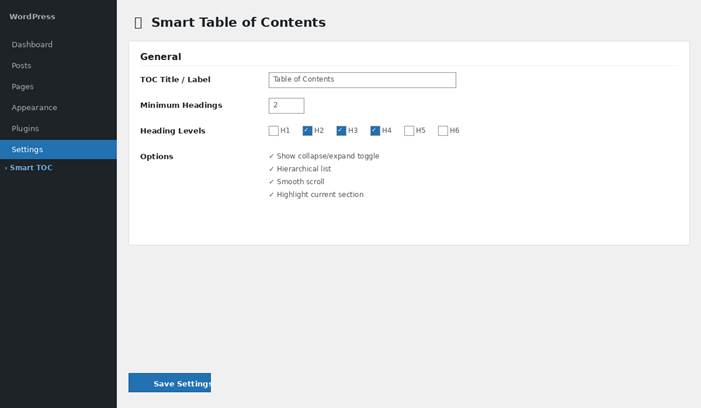
Figure 1 — General settings: title, heading levels, and behavior options
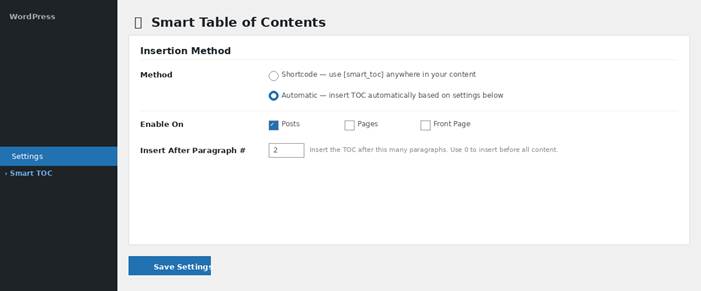
Figure 2 — Insertion method: automatic mode with post type and paragraph controls
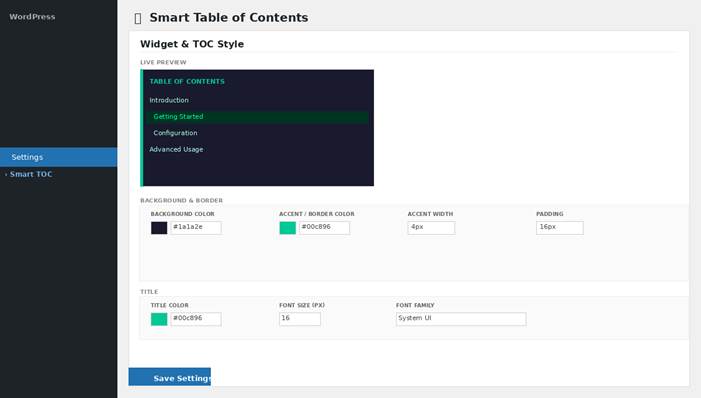
Figure 3 — Style customizer with live preview updating in real time
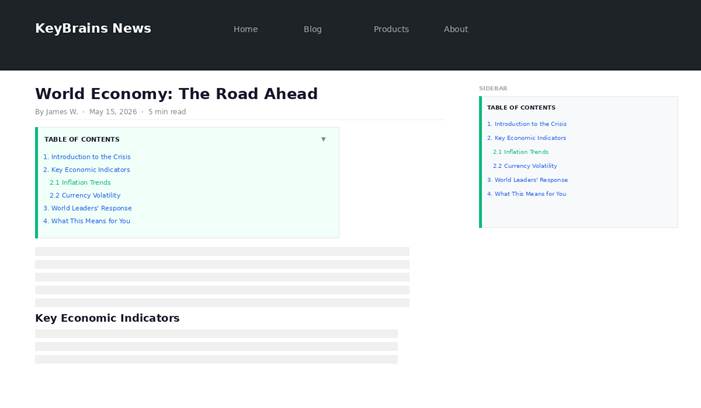
Figure 4 — Frontend: inline TOC and sidebar TOC on the same article
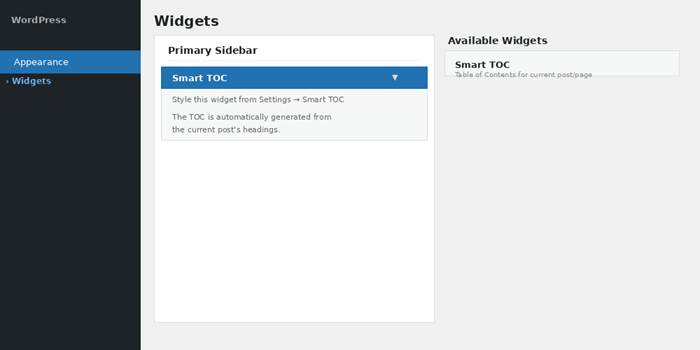
Figure 5 — Smart TOC widget in the WordPress Widgets screen
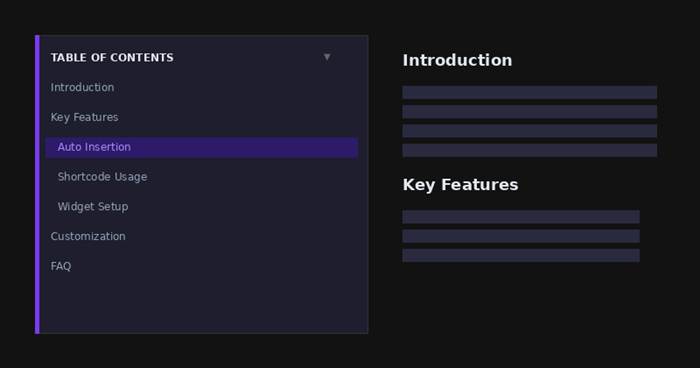
Figure 6 — Example dark theme customization
Installation
Via WordPress Dashboard
- Navigate to Plugins → Add New → Upload Plugin.
- Upload the smart-toc.zip file and click Install Now.
- Activate the plugin.
Via FTP / Manual
- Extract smart-toc.zip to /wp-content/plugins/smart-toc-clean/.
- Activate from the Plugins screen in WordPress admin.
Configuration Guide
Step 1 — General
Go to Settings → Smart TOC. Set your TOC title, minimum headings threshold, which heading levels to include, and enable optional features (toggle, hierarchical, smooth scroll, scroll spy).
Step 2 — Insertion Method
Choose Shortcode to place [smart_toc] manually in content, or choose Automatic to inject it on selected post types after a specific paragraph number.
Step 3 — Style
Uncheck “Use theme default styles” to open the customizer. Adjust all visual properties and watch the live preview update instantly. Click Save Settings when satisfied.
Step 4 — Sidebar Widget
Go to Appearance → Widgets. Drag the Smart TOC widget into your sidebar. All styling comes from Settings → Smart TOC — no per-widget configuration needed.
Shortcode Reference
| [smart_toc] |
| [smart_toc title=”In This Article” levels=”h2,h3″ hierarchical=”1″ toggle=”1″] |
Shortcode attributes:
| title | Override the TOC heading label for this instance. |
| levels | Comma-separated heading levels, e.g. h2,h3,h4. |
| hierarchical | 1 = nested list, 0 = flat list. |
| toggle | 1 = show collapse button, 0 = hide it. |
Links & Resources
[smart_toc] [smart_toc title="In This Article" levels="h2,h3" hierarchical="1" toggle="1"]