Key Reading Time Plugin
Key Reading Time
WordPress Plugin
Product Page — keybrains.io
Plugin at a Glance
| Version | 1.0.0 |
| License | GPL-2.0+ (Free & Open Source) |
| WordPress | Requires 5.0 or higher · Tested up to 6.9 |
| PHP | 7.4 or higher |
| Author | Keybrains |
| Author URL | https://wordpress.org/keybrains |
| Demo | https://plugins.keybrains.io/plugins/read-time-plugin-free/ |
| Plugin URL | https://wordpress.org/plugins/key-reading-time/ |
What Is Key Reading Time?
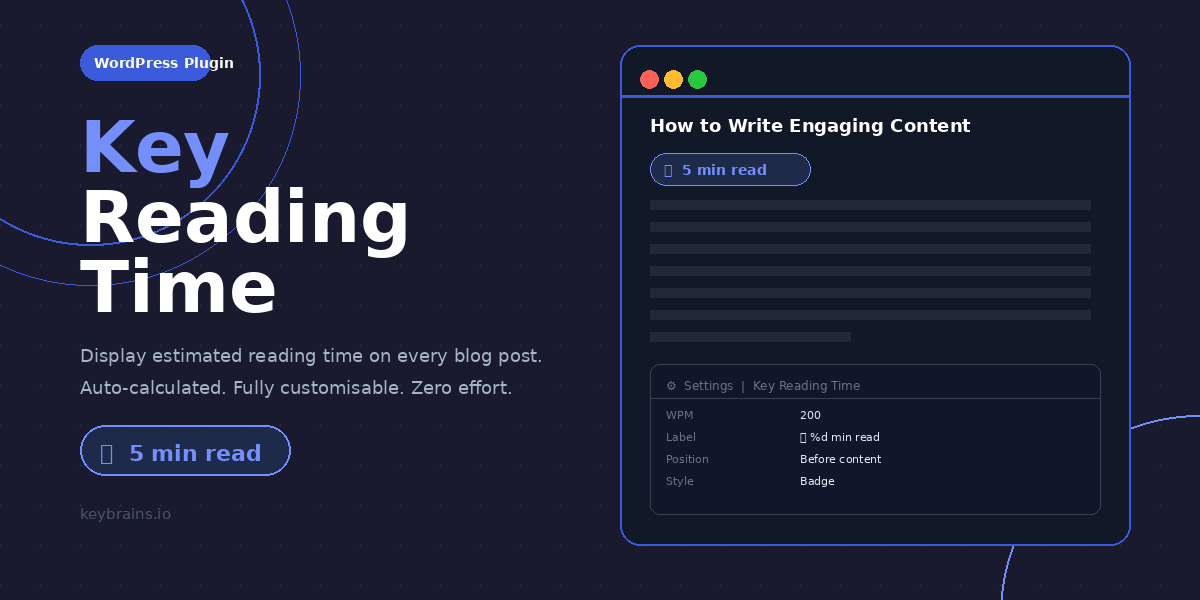
Key Reading Time is a lightweight, developer-friendly WordPress plugin built by Keybrains that automatically calculates and displays an estimated reading time badge on your blog posts. In one line: it tells your readers exactly how long an article will take before they commit to reading it.
Modern readers are time-conscious. A visible reading time badge reduces bounce rates, sets expectations, and builds trust. It is one of the simplest yet highest-impact UX improvements you can make to a content-driven website.
The plugin is entirely code-based, has zero external dependencies, and introduces no performance overhead. Install it, activate it, and your posts are instantly enhanced.
Screenshot — Badge on a Blog Post
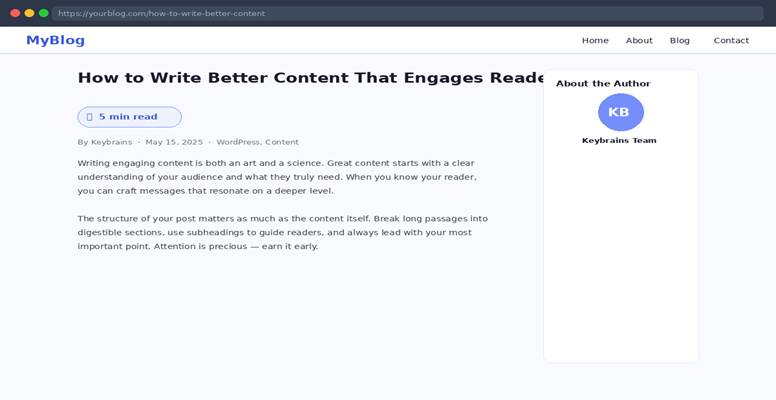
The reading time badge appears automatically above the post content, giving visitors an instant at-a-glance estimate.
Core Features
Automatic Calculation
The plugin counts every word in the post content, strips HTML tags for accuracy, divides the count by your configured Words Per Minute rate, and rounds up to the nearest minute. The result is always at least one minute, so no post ever shows ‘0 min read’.
Three Badge Styles
Choose the visual style that best suits your theme:
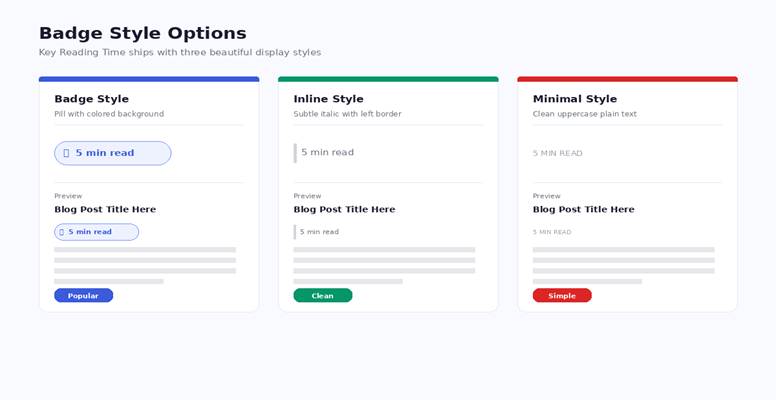
- Badge — A pill-shaped element with a soft blue background and accent border. Bold and immediately visible.
- Inline — A subtle italic label with a left border. Blends naturally with editorial themes.
- Minimal — Plain uppercase text in muted grey. Ideal for ultra-minimalist designs.
Screenshot — All Three Badge Styles
Fully Configurable Admin Panel
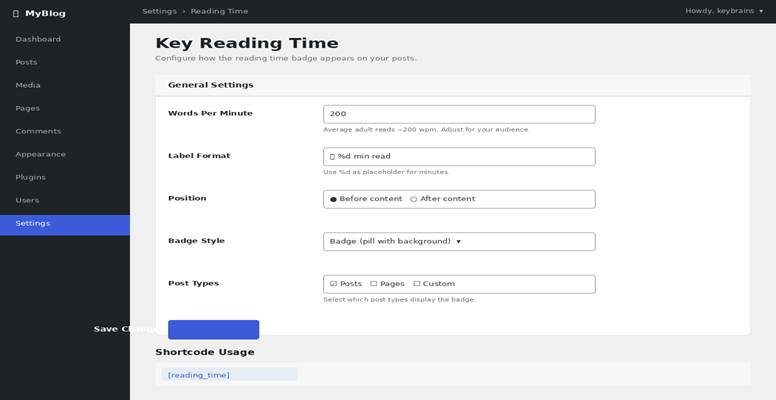
Every aspect of the plugin is controlled from Settings > Reading Time in your WordPress dashboard:
- Set your target Words Per Minute (default: 200, the average adult reading speed).
- Customise the label text using %d as a placeholder for the minute count.
- Choose whether the badge appears before or after the post content.
- Select which public post types display the badge (posts, pages, custom types).
- Switch between Badge, Inline, and Minimal styles instantly.
Screenshot — Admin Settings Page
Shortcode Support
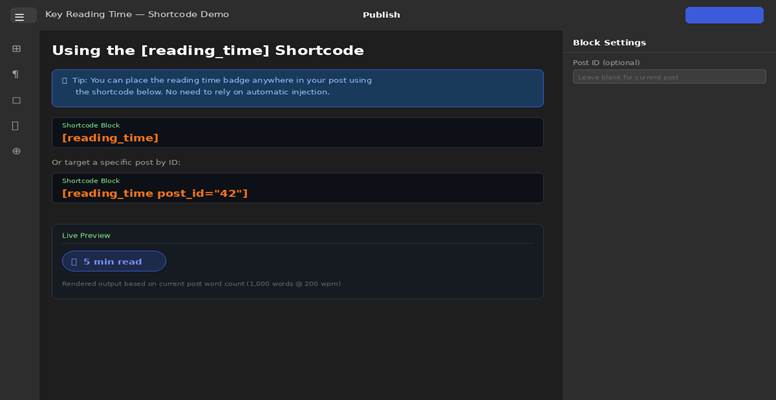
Need the badge in a specific location — inside a widget, a page builder, or a custom template? Use the built-in shortcode:
[reading_time] — uses the current post automatically
[reading_time post_id=”42″] — targets any post by ID
Screenshot — Shortcode in the Block Editor
Mobile & Dark-Mode Ready
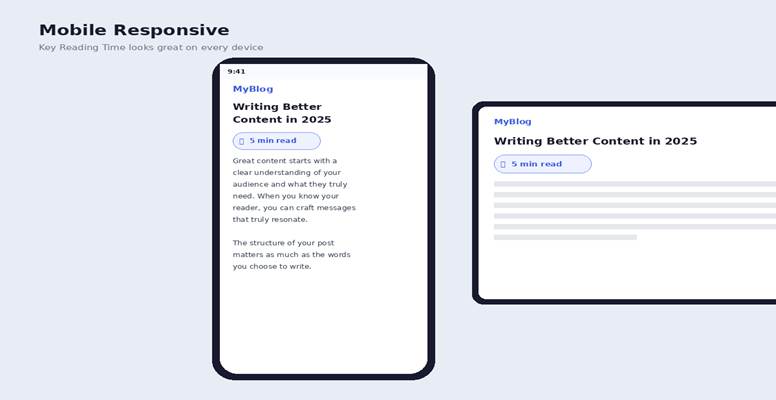
All three badge styles are fully responsive and include a media query for prefers-color-scheme: dark, so they look sharp on every device and in every display preference.
Screenshot — Mobile Responsive View
Installation
- Download the plugin ZIP from WordPress.org or this product page.
- In your WordPress dashboard, go to Plugins > Add New > Upload Plugin.
- Select the ZIP file and click Install Now, then Activate.
- Visit Settings > Reading Time to configure the badge to your liking.
Frequently Asked Questions
How is reading time calculated?
Word count is divided by your configured WPM value and rounded up. The minimum is always 1 minute. HTML tags are stripped before counting so only visible words are measured.
Does it work with the Gutenberg block editor?
Yes. The plugin hooks into the_content filter and works seamlessly with both the Classic Editor and Gutenberg. For Gutenberg, you can also use the [reading_time] shortcode block for precise placement.
Can I use it on custom post types?
Absolutely. Any public post type registered on your site appears in the Post Types selector in the settings panel.
Will it slow down my site?
No. The plugin performs a simple arithmetic calculation per page load with no database queries beyond fetching the settings option (cached by WordPress). Its CSS file is tiny and loaded asynchronously.
Is the plugin GDPR compliant?
Yes. Key Reading Time collects no user data, sets no cookies, and makes no external requests.
Links & Resources
- Author: https://wordpress.org/keybrains
- Live Demo: https://plugins.keybrains.io/plugins/read-time-plugin-free/
- Plugin Page: https://wordpress.org/plugins/key-reading-time/
- Support: WordPress.org support forums
Key Reading Time
WordPress Plugin
Product Page — keybrains.io
Plugin at a Glance
| Version | 1.0.0 |
| License | GPL-2.0+ (Free & Open Source) |
| WordPress | Requires 5.0 or higher · Tested up to 6.9 |
| PHP | 7.4 or higher |
| Author | Keybrains |
| Author URL | https://wordpress.org/keybrains |
| Demo | https://plugins.keybrains.io/plugins/read-time-plugin-free/ |
| Plugin URL | https://wordpress.org/plugins/key-reading-time/ |
What Is Key Reading Time?
Key Reading Time is a lightweight, developer-friendly WordPress plugin built by Keybrains that automatically calculates and displays an estimated reading time badge on your blog posts. In one line: it tells your readers exactly how long an article will take before they commit to reading it.
Modern readers are time-conscious. A visible reading time badge reduces bounce rates, sets expectations, and builds trust. It is one of the simplest yet highest-impact UX improvements you can make to a content-driven website.
The plugin is entirely code-based, has zero external dependencies, and introduces no performance overhead. Install it, activate it, and your posts are instantly enhanced.
Screenshot — Badge on a Blog Post
The reading time badge appears automatically above the post content, giving visitors an instant at-a-glance estimate.
Core Features
Automatic Calculation
The plugin counts every word in the post content, strips HTML tags for accuracy, divides the count by your configured Words Per Minute rate, and rounds up to the nearest minute. The result is always at least one minute, so no post ever shows ‘0 min read’.
Three Badge Styles
Choose the visual style that best suits your theme:
- Badge — A pill-shaped element with a soft blue background and accent border. Bold and immediately visible.
- Inline — A subtle italic label with a left border. Blends naturally with editorial themes.
- Minimal — Plain uppercase text in muted grey. Ideal for ultra-minimalist designs.
Screenshot — All Three Badge Styles
Fully Configurable Admin Panel
Every aspect of the plugin is controlled from Settings > Reading Time in your WordPress dashboard:
- Set your target Words Per Minute (default: 200, the average adult reading speed).
- Customise the label text using %d as a placeholder for the minute count.
- Choose whether the badge appears before or after the post content.
- Select which public post types display the badge (posts, pages, custom types).
- Switch between Badge, Inline, and Minimal styles instantly.
Screenshot — Admin Settings Page
Shortcode Support
Need the badge in a specific location — inside a widget, a page builder, or a custom template? Use the built-in shortcode:
[reading_time] — uses the current post automatically
[reading_time post_id=”42″] — targets any post by ID
Screenshot — Shortcode in the Block Editor
Mobile & Dark-Mode Ready
All three badge styles are fully responsive and include a media query for prefers-color-scheme: dark, so they look sharp on every device and in every display preference.
Screenshot — Mobile Responsive View
Installation
- Download the plugin ZIP from WordPress.org or this product page.
- In your WordPress dashboard, go to Plugins > Add New > Upload Plugin.
- Select the ZIP file and click Install Now, then Activate.
- Visit Settings > Reading Time to configure the badge to your liking.
Frequently Asked Questions
How is reading time calculated?
Word count is divided by your configured WPM value and rounded up. The minimum is always 1 minute. HTML tags are stripped before counting so only visible words are measured.
Does it work with the Gutenberg block editor?
Yes. The plugin hooks into the_content filter and works seamlessly with both the Classic Editor and Gutenberg. For Gutenberg, you can also use the [reading_time] shortcode block for precise placement.
Can I use it on custom post types?
Absolutely. Any public post type registered on your site appears in the Post Types selector in the settings panel.
Will it slow down my site?
No. The plugin performs a simple arithmetic calculation per page load with no database queries beyond fetching the settings option (cached by WordPress). Its CSS file is tiny and loaded asynchronously.
Is the plugin GDPR compliant?
Yes. Key Reading Time collects no user data, sets no cookies, and makes no external requests.
Links & Resources
- Author: https://wordpress.org/keybrains
- Live Demo: https://plugins.keybrains.io/plugins/read-time-plugin-free/
- Plugin Page: https://wordpress.org/plugins/key-reading-time/
- Support: WordPress.org support forums